KeeKom for SlackSlack版KeeKom
Think in your language. Communicate in theirs.自分の
For teams that work across languages. Everyone writes in the language they think in, and reads every message in their own. 14 languages, casual or polite, with a strength dial so you sound like yourself.
言語の
How it works使い方
1. Say something1. 書く
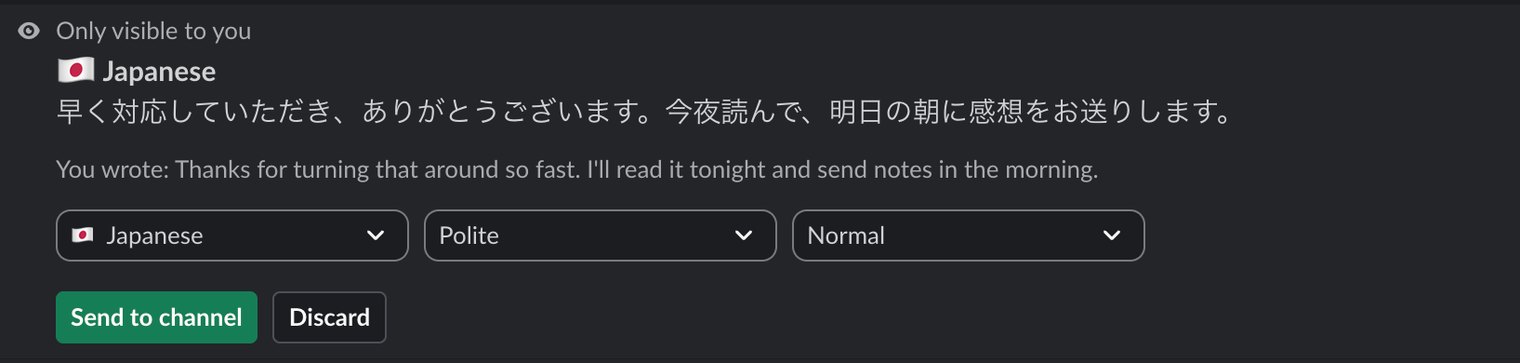
Type /keekom and your message. You see it in their language next to your original. Change the register or the strength, then press Send. Nothing posts until you do.
/keekom の
2. Read what you get2. 読む
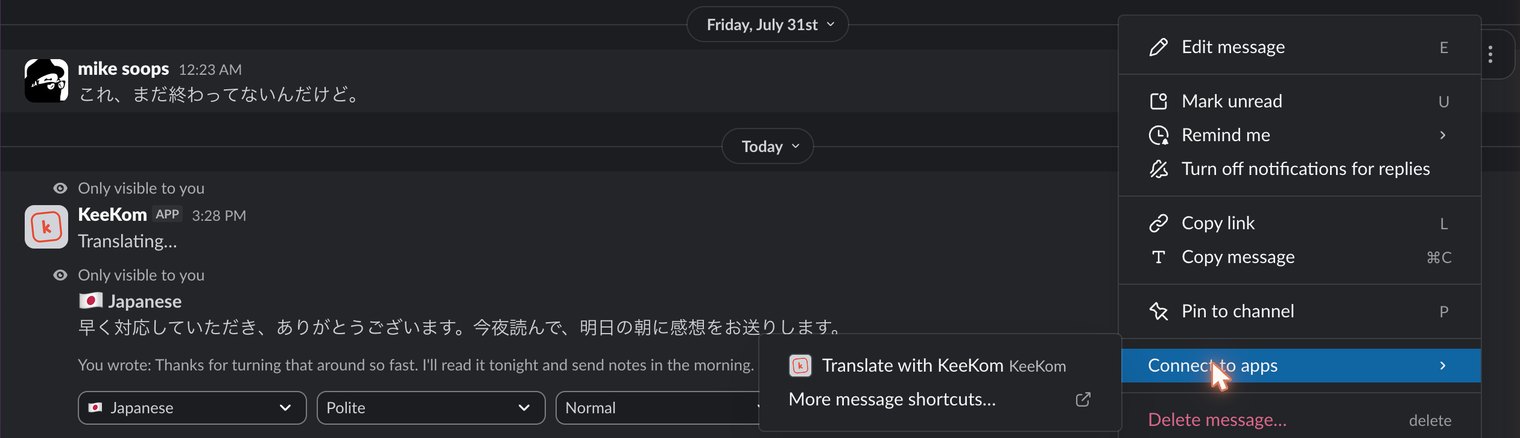
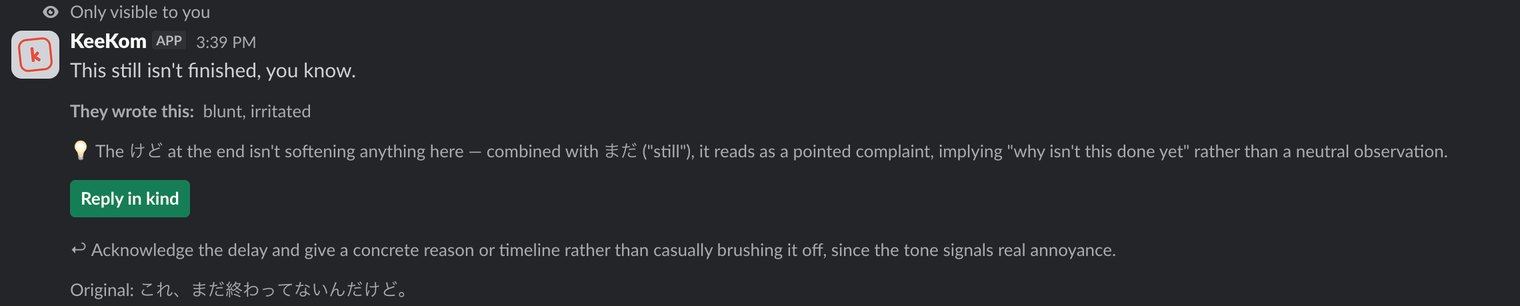
On any message, open More actions, then Connect to apps, then Translate with KeeKom. You get the meaning, the register they actually used, and the nuance that's easy to miss. Only you see it.
メッセージの
3. Answer at the right level3. ちょうどいい温度で返す
Hit Reply in kind and KeeKom pitches your reply to match, which is not always mirroring them. Someone senior being curt still gets a polite answer.
「Reply in kind」を
Everyone sets their own languages on KeeKom's Home tab in Slack, so two people can use it in opposite directions in the same channel.
言語の
It can't read your channelsチャンネルは読めません
KeeKom asks Slack for three permissions, and none of them read anything. One adds /keekom and the message shortcut. Two let it post the message you approve. It can't see your channels or their history, and the translations of messages you receive are shown only to you.
KeeKomが/keekom と
Price料金
Free無料
25 translations per person each month, in all 14 languages. Up to 500 a month for the whole workspace.
1人あたり月25回、
$100 a year年額100ドル
KeeKom for Teams. Unlimited for the whole workspace, and you can switch language right inside the preview. Upgrade from KeeKom's Home tab in Slack.
KeeKom for Teams:
Languages対応言語
English, Spanish, French, Portuguese (Brazil), Indonesian, Tagalog, Vietnamese, Thai, Korean, Japanese, Chinese (Simplified and Traditional), Burmese and Nepali.
英語・
Add it to your workspaceワークスペースに追加
KeeKom is also a translation keyboard for iPhone, Android and Mac. Questions: info@getkeekom.com. A human reads it.
KeeKomは、